
 On Sunday morning, I saw an email from Amazon about their software deals of the week. I decided it might be interesting to try making a Squidoo lens for it and update it each Sunday. Some of the deals are pretty decent, with discounts up to 50% and more. I put the first item in an Amazon Spotlight module. The rest I put into related groups and used the regular Amazon module. A couple of items were available both on CD and as downloads, so I put links for the download version into the descriptions.
I'll try this out for a while and see if it goes anywhere. I decided to keep things pretty simple by using the regular Amazon modules instead of the text modules with the coding I've developed for books, which I use on the Best Sellers list I update either late Friday nights or on Saturdays.
That list, by the way, was a bit of a challenge this last time because seven out of the fifteen books were new and required blurbs and new color choices for the backgrounds. After a book's first week on the list, all I have to do is change the numbers and move them around.
 On one of my visits to Amazon.com I saw book covers for new books by Allen Steele and Nevada Barr. Allen Steele's newest is Coyote Horizon, released March 3, so I went to my Allen Steele lens and added it. When I went looking for information beyond the short blurb at Amazon, I found out Steele now has a website for the Coyote series. But neither Steele's own site or the new one had more information like a review that I could use to write my own blurb, so I ended up just taking the Amazon blurb and rewording it.
I'll have to get the book soon, although I'm in the middle of rereading Anne McCaffrey's Dragonriders of Pern series. Still, I probably should take a break from that and read something else occasionally.
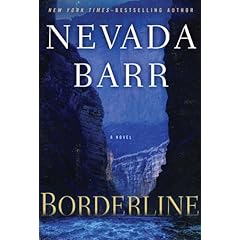 Nevada Barr's Borderline will be out on April 7. This one is set in Big Bend National Park in southwest Texas on the Rio Grande. Barr really puts Anna Pigeon through a lot. Even when Anna goes on a vacation trip with her husband, she can't catch a break. After all the gruesome stuff she went through on Isle Royale in Winter Study, she was diagnosed with post traumatic stress disorder. It's not surprising considering all she went through not only in that book but in the previous ones as well. To me it seems things just get harder and harder for Anna with each new book, so PTSD is not unusual.
By the way, notice how the book images are indented from the left and right margins? It's because I'm getting the images from Amazon using "Save image location." Amazon puts its products in a square white box. Books, of course, are not square, so they end up indented. I did an earlier post about how that affects my Squidoo lenses when I want to use colored backgrounds and book images together.
Here's links to Coyote Horizon and Borderline:


No comments:
Post a Comment